My setup, November 2026
This is how I work right now, on November 4, 2026. Mostly written down so I can look back at it in a year.
One computer that never turns off
At the office I have a Framework Desktop with 128 GB of memory, and it is on 24 hours a day. It runs Omarchy 4.5 RC3, the latest release as I write this.
There is a FIDO key plugged into it. A very simple thing, but it means I can give something sudo rights with one touch, and that turns out to be really pleasant. When Claude needs root, it asks through agent-root, I get a dialog that says why, and I touch the key.
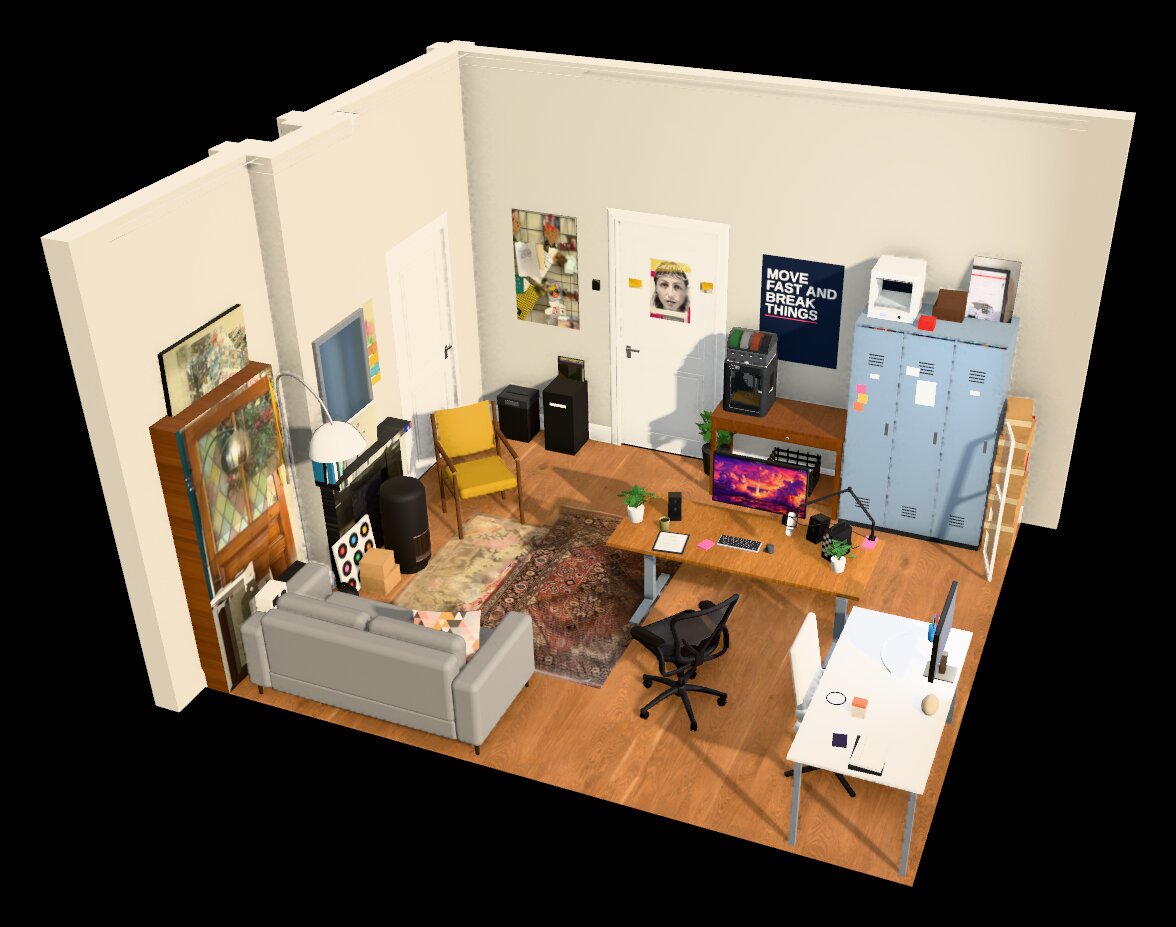
Most of the time I work at that computer, with a big screen, a Logitech MX Master 3S, a Lofree Flow84 keyboard and good speakers. That is where I like to sit. If you want to have a look around, I made a 3D version of my office.
Herdr keeps everything running
The most important thing on that machine is the Herdr server. You never see it, but it keeps all my sessions alive. I start a new session for every topic I work on, sometimes with a few tabs in it, depending on the work. And they all just keep running, whether I’m looking at them or not.
The laptop connects to the desktop
In the evening, or when I’m on the go, I have a Dell XPS 13. That is a full Omarchy system as well, so I can do anything on it. But when I have real work to do, I connect to the Framework over SSH and Tailscale and attach to the Herdr server running there. Every session is exactly where I left it at the office.
Mods for the Herdr app
I use the new Herdr desktop app a lot, and I like it. I made a few mods for it that make it fit Omarchy a little better. With Focus to Hover the pane under the mouse gets the keyboard, like everywhere else in Omarchy. Space Folders adds colored folders to the spaces list, and smart folders that collect the spaces of a project by themselves. And Issues shows the GitHub issues of the repository you’re in, right next to your terminals.
AI
For code I mostly use Claude Code, and I have for about two years now. Next to it I have a small OpenAI subscription, which I use now and then to double check something with a different agent. I’m also experimenting with Grok, but more as a personal assistant than as the agent that writes my code.
A server for everything that has to keep running
I also have a server with Proxmox. On it runs another Omarchy machine with OpenClaw, which does all kinds of background tasks for me. The nice thing about a Proxmox server is that Home Assistant and all sorts of other containers can live there too.
From my computer I can just say: start a web project and publish it on my Proxmox. Then it keeps running and it’s there for everyone to use, and with Tailscale I can share it with other people. This site runs in one of those containers too.

Hello, I'm Jankees van Woezik
Like this post? Follow me on X (@jankeesvw)